
In short
Use a video’s bookmark to keep its reference in Saved within your workspace. Then check that you can find it after reloading. Saving prepares your inspiration shortlist; analyzing the video and preparing a creation remain separate actions.
Save a video
- In Discover, find a relevant video and click its bookmark. Wait for its state to confirm saving.
- Open Saved, then the videos tab, to find that reference. Check its account and network if several posts look similar.
Save in the workspace where you intend to work next. The favorite belongs to that workspace: seeing the same video in another search does not mean it was copied elsewhere. If the bookmark returns to its original state with an error, check Saved before repeating the action.
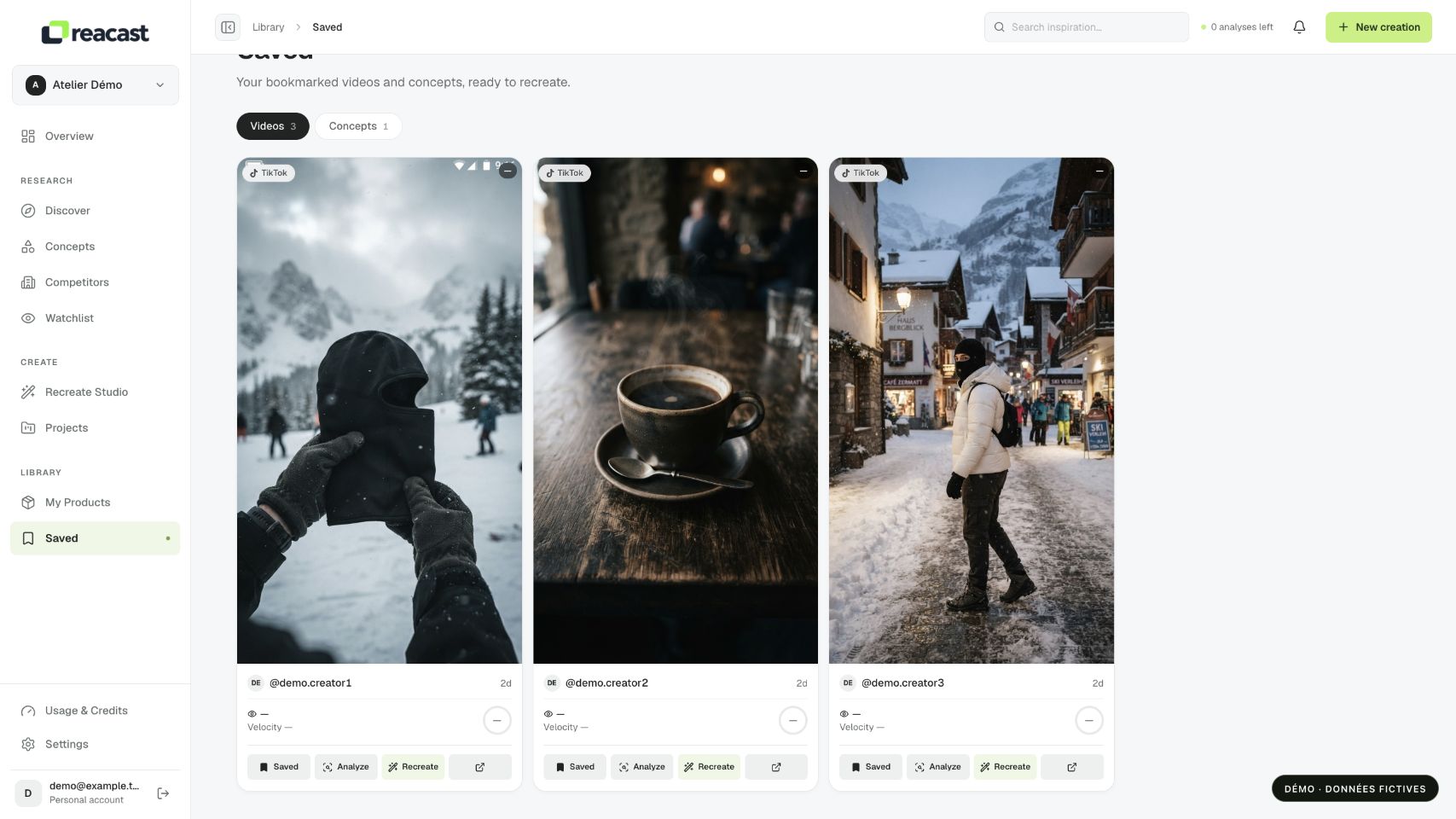
Resume your research
From the library, open the video details to review its information or launch an available analysis. A favorite is a saved reference: saving alone does not start a complete analysis, generation or export.
After adding, reload the library to check that the favorite persists. Open its details and confirm that the account, network and video match your choice. A card helps you find a reference; it does not guarantee that the original file will always be playable.
Build a useful shortlist
For a fictional mug, you might save one video showing handling, another showing capacity and a third showing a use case. Check what each reference contributes before saving ten nearly identical videos. This gives you distinct ideas to compare in their details without assuming they have equal commercial value.
If a post is removed or becomes inaccessible, inspect the information that remains available. Complete analysis or recreation requires an accessible video source. Save another relevant reference if the necessary media can no longer be retrieved.
Remove a favorite
Click the filled bookmark or Remove saved video. The reference leaves your favorites; the original post stays on its network. If the action fails, keep the page open and retry after reading the error.