
In short
In Discover, choose a precise input, check the available network, then launch the search. Results come from a catalog or a collection with a displayed status; they do not represent every video on a network.
Choose your starting point
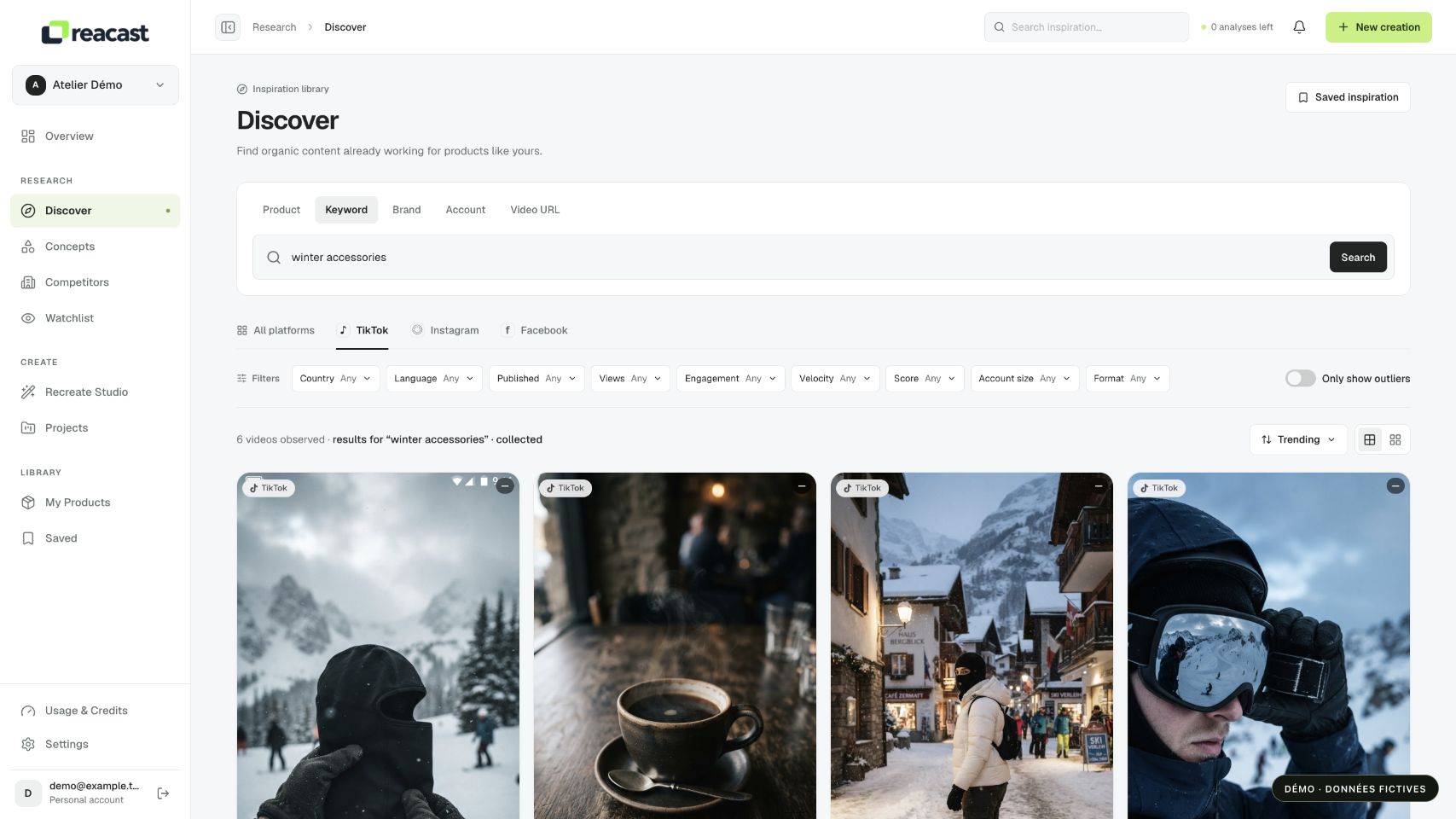
Open Discover under Research. For a first search, choose Keyword and a phrase describing your product or its use. If a product record is already saved, Product lets you select it and prepare the search from its details.
Brand and Account are for account searches; Video URL uses a link to a public post. An account name and a keyword are not interchangeable. Always check the selected mode and displayed query.
Launch and follow your search
- Choose an available network from TikTok, Instagram or Facebook, or All when that choice can be used for your search.
- Enter a precise phrase, or select your product in Product mode. Check the displayed information before using the search button.
- Read the displayed status: a search can be queued, collecting, partial or complete. Wait for available results instead of repeatedly launching the same query.
- Browse cards and result pages. Paging through an existing search lets you continue reading it without starting a new collection.
Read results in context
Start with relevance: does the product, action or use shown match your need? Then check the network, source and available metrics. A dash or insufficient history means missing data, not zero views or zero relevance.
Use available filters and sorts. With All, Views ranks posts within each network and alternates networks. Choose a specific network to read one ranking. A high view count proves neither sales nor the absence of paid amplification.
If the search is empty or interrupted
Check the mode, simplify the phrase and remove overly restrictive filters. Empty results can reflect the observed scope or available sources; they do not prove that no videos exist on the topic.
If a network is unavailable, collection is partial or the budget is paused, read the associated message. Already available results may remain viewable. Searching and saving a favorite are not a complete video analysis.