
In short
Portal navigation follows your work: explore inspirations, understand their concepts, prepare a creation and find your products or saved items. This guide uses the labels shown in the portal.
Explore: Overview and Research
- Overview: your workspace entry point, with available information about your activity and catalog.
- Discover: search for posts using a product, keyword, account or video URL. Usable networks and modes depend on their displayed availability.
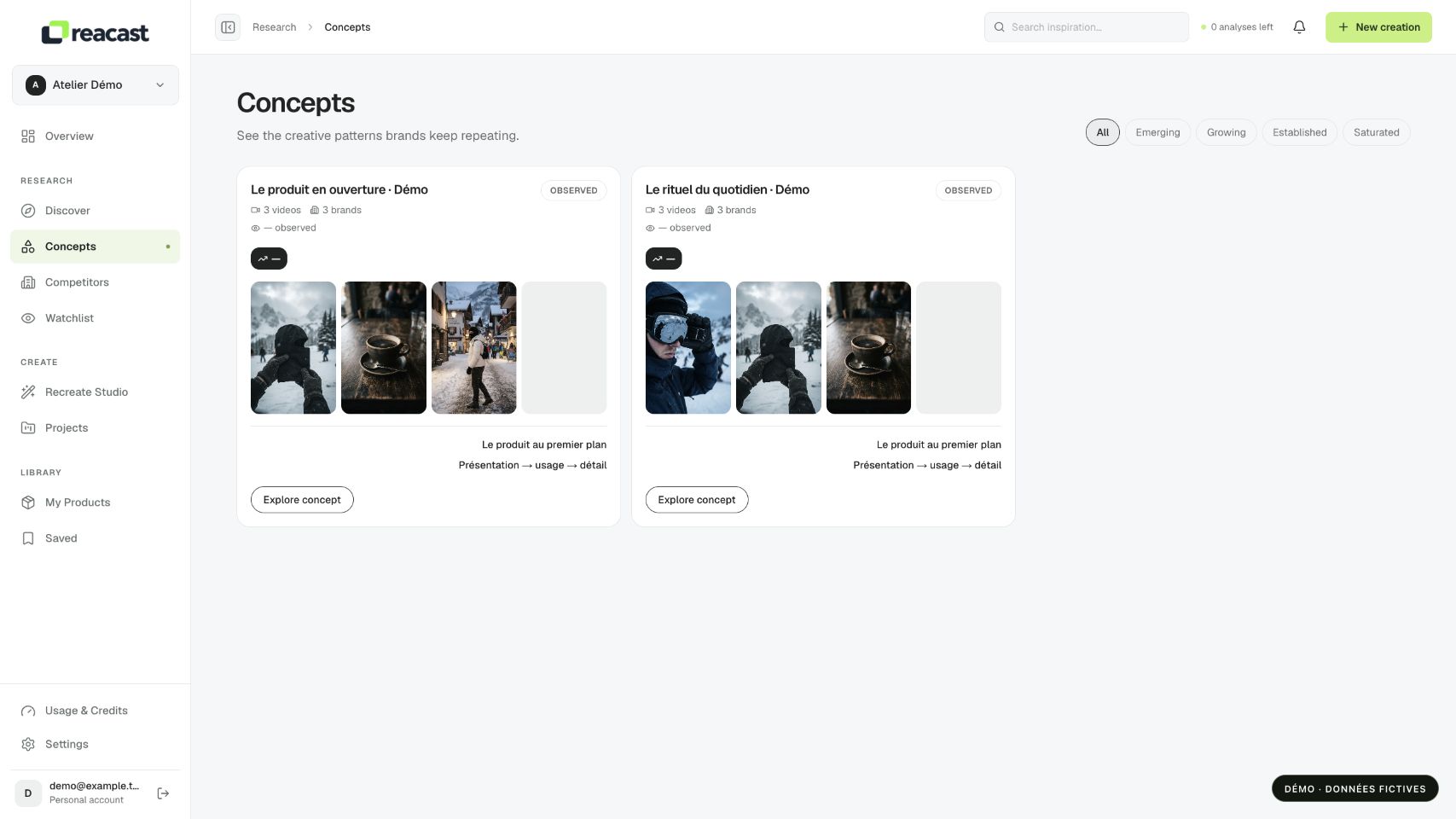
- Concepts: view groups built from analyzed videos, their shared traits and their sources.
- Competitors: find followed accounts. Watchlist gathers observed monitoring events; missing data is not replaced with invented performance.
Prepare: Create
Recreate Studio is the entry point for preparing a version from an inspiration and your product. Projects keeps saved projects and lets you reopen them in context.
A generation screen or button does not guarantee that generation is available. Check project states and any offered quote before an action that commits credits. This workspace tour does not launch a creation.
Find your work: Library
My Products contains your product records. Open a card to view a product, or Add product to add one. Saved contains bookmarked videos and a Concepts tab connected to your workspace’s saved videos.
A saved item is a reference in your library, not an exported video file. If its source becomes unavailable, its media may no longer be viewable.